Assembly
Knob Installation
The Film Stage ships without the tightening knobs installed. Install these by placing a washer on each bright stud, then screwing the knobs in place.
Since the tightening knobs and the hard stops are not installed during shipment, the stage slide can slide off the stage frame if the FSK stage is not unboxed carefully.
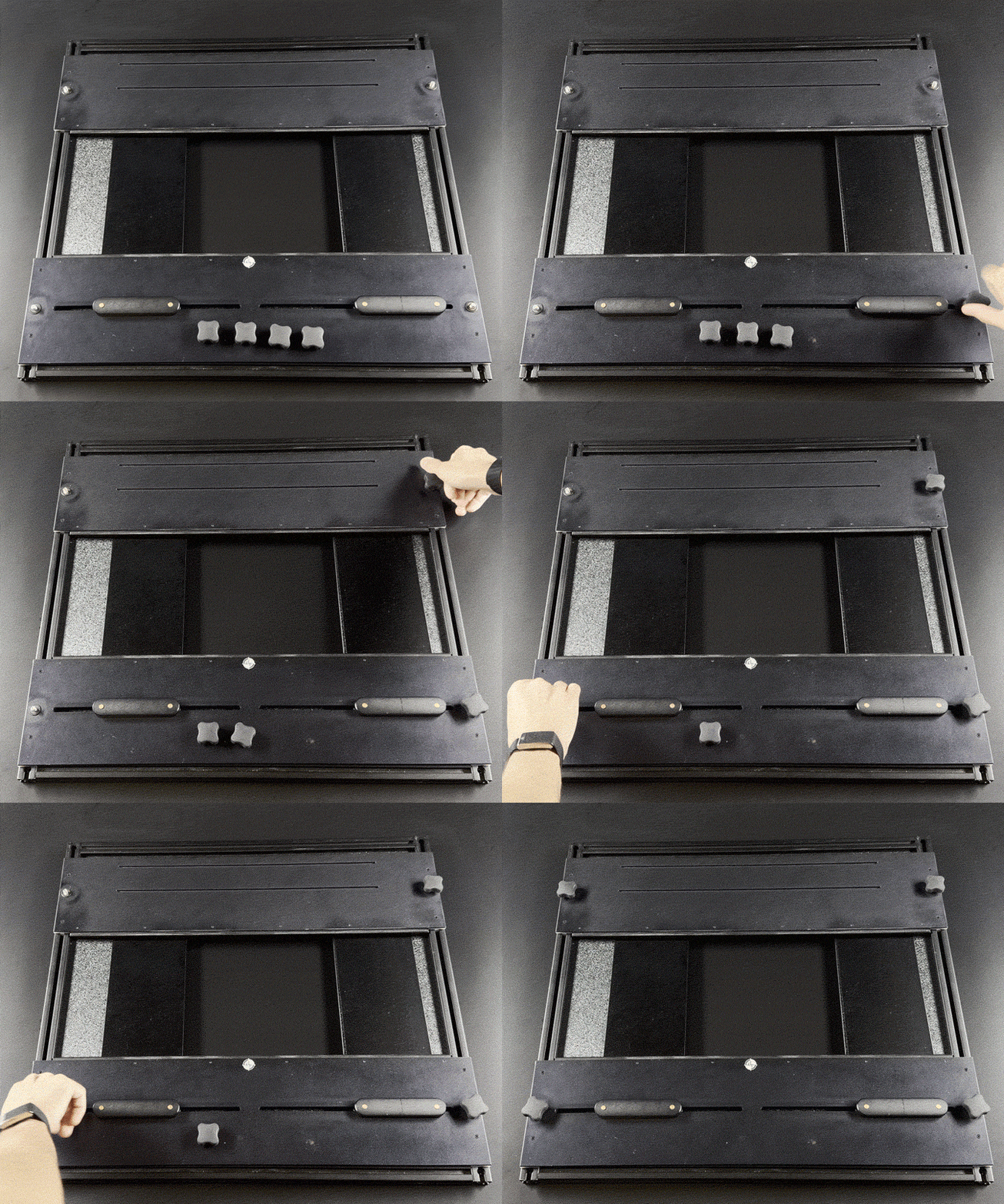
Do not over tighten the knobs; it will cause the nylon spacers to deform and cause the slide not to move smoothly or at all.
Atom Installation
The Film Stage can be installed as shipped onto a DT Atom base.
Release the side clamp handles underneath the Atom bench.
Slide the presently installed surface off the Atom.
Place the light source (Photon, Stellar Fusion etc) in the chassis of the Atom. Placement of the light can be fine tuned once the stage is installed.
Slide the Film Stage top onto the Atom, in a reverse of the movement used to remove the previous top.
Adjust the position of the light and the shutters for the desired material type.
Versa/Free Standing Installation
The DT Film Scanning Stage can be used on any DT bench, and easily combined with a DT light source, or light box to increase the versatility of your system.
Leg Installation
Remove the small cap head screws in the top corners of the film stage. These reveal the access hole to attach the legs.
Loosen the screws on top of the legs and slide them into each corner of the FSK stage.
Make sure the legs are flush to the side of the FSK stage, and tighten the screws through the hole that is located above each leg, revealed in step 1.
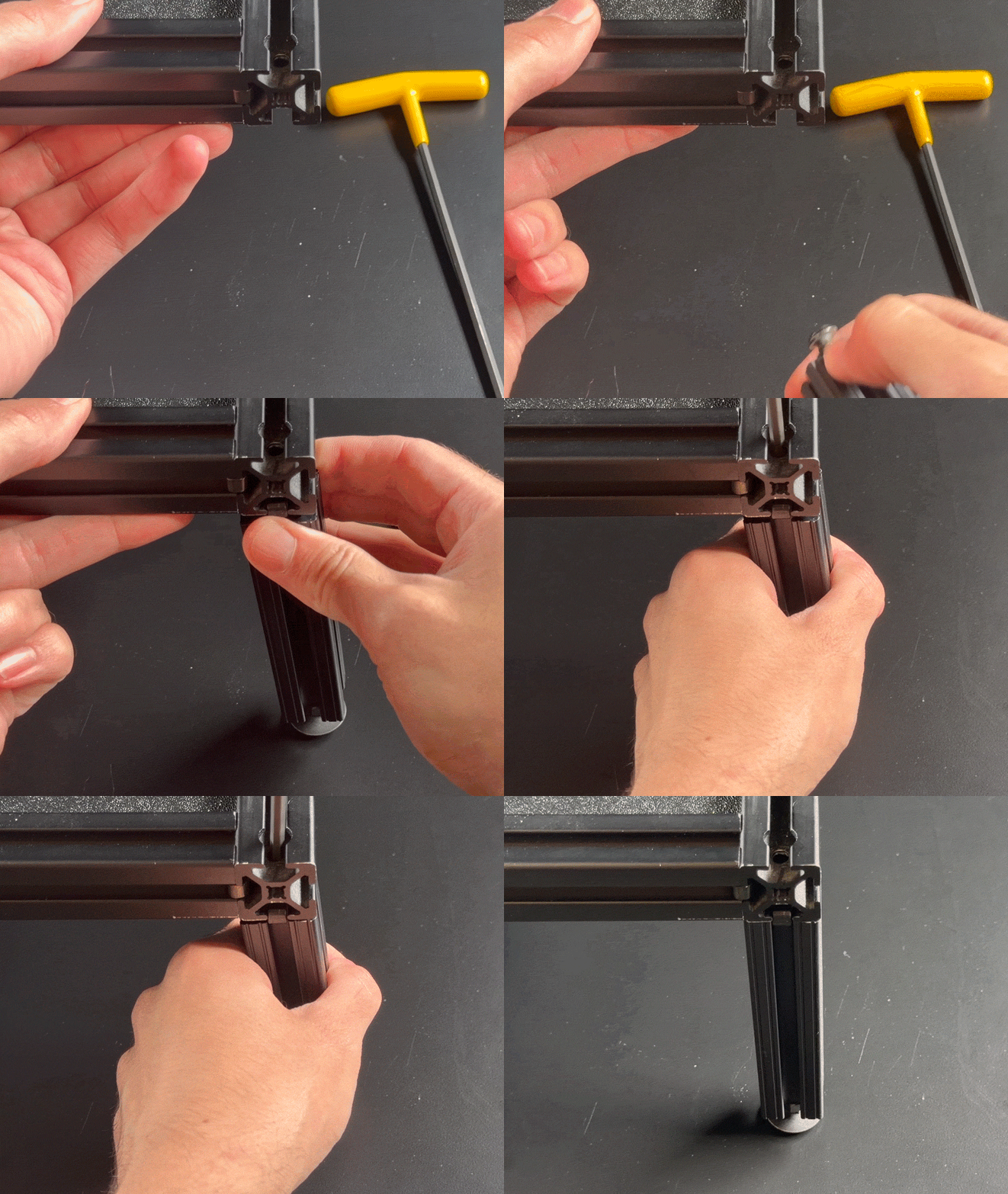
Replace the cap head screws. These act as positive stops so the top and bottom shutter cannot fall out in normal operation.