AI Crop Model Preview
Under [⋮] you will find the option to run an AI Crop Model Preview. This uses the same AI Models as AI Crop does, but instead of actually cropping the image it shows you what the model "sees".
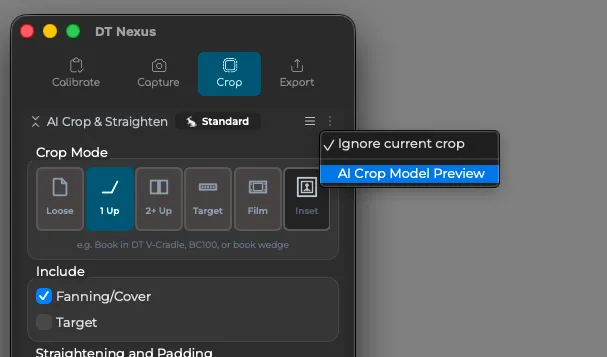
The results of AI Crop are based on two things: the raw detection of the material by the AI Model and the users selections of settings such as straightening and padding. If the model is not seeing your material correctly, no settings will improve the result. So the option to visualize what the model is seeing can be helpful for troubleshooting purposes.
This mode is also offered for any camera, not just Phase One cameras, making it a great way to preview the results you can expect if you switch to a Phase One camera to make use of AI Crop in DT Nexus.
Note that AI Crop Model Preview is specific to the AI Crop Mode you have selected. For example, selecting Loose vs 2+ Up.
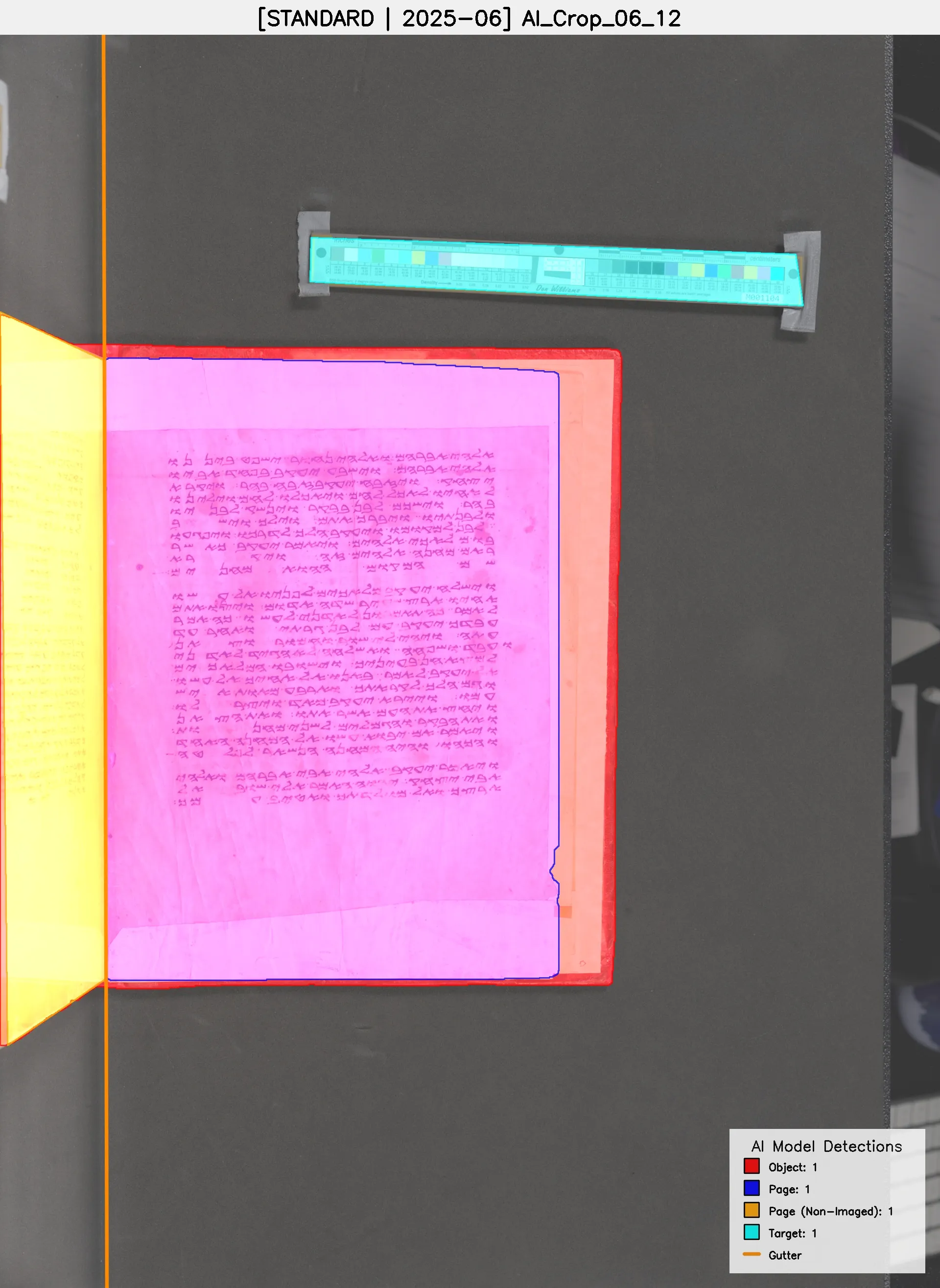
Note that the visualization uses non-opaque colors so that overlapping detections can be shown. In the above example the page is correctly detected as a separate but overlapping area of the material compared to the overall object (which includes the partial cover material behind the page); page is blue and object is red, so the overlap means the page is shown as purple.