Keyboard Shortcuts
Shortcut Viewer
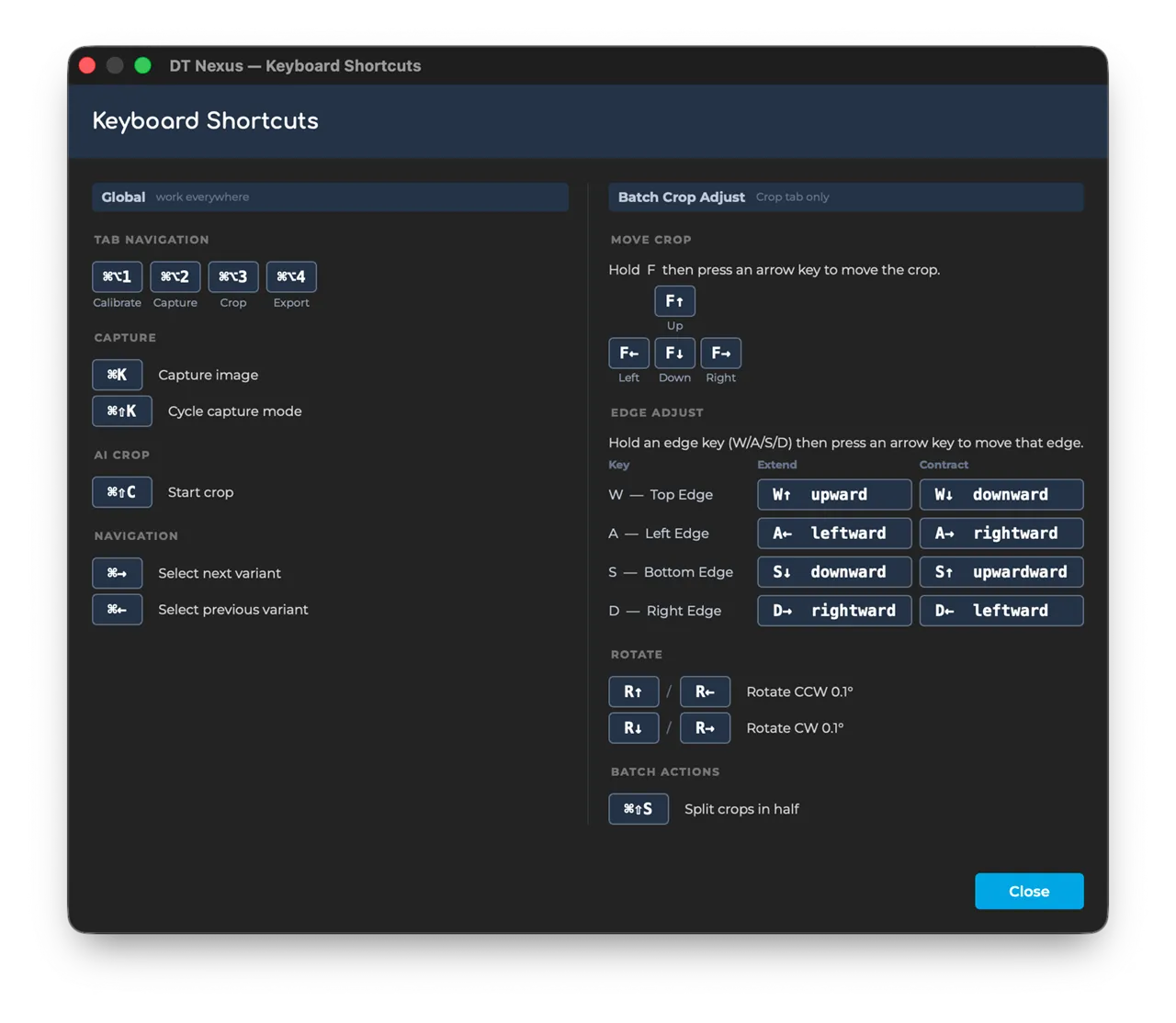
You can find a visual layout of all DT Nexus shortcuts under Help > Keyboard Shortcut.
Shortcut Editor
Some shortcuts can be customized using [Help > Customize Shortcuts].
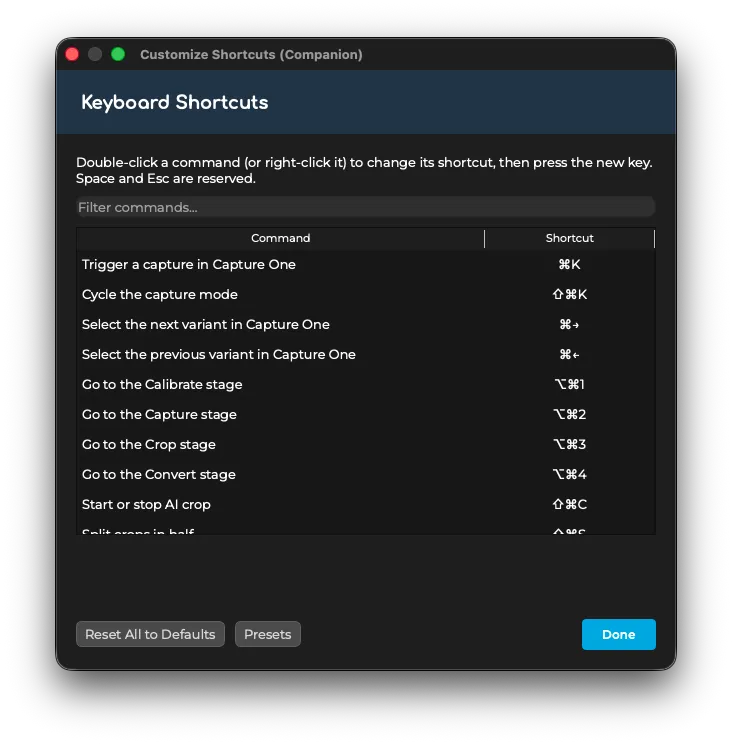
One particularly interesting shortcut is Toggle Light Group # on or off which defaults to Command Option 1 for Light Group 1, Command Option 2 for Light Group 2 etc. This allows an operator to quickly turn on and off a given light group without setting up a sequence.
Shortcut Conflict Manager
Nexus automatically detects if you are using Capture One shortcuts that overlap with DT Nexus and, with your permission, can set the shortcuts in Capture One to a set that doesn't conflict.
In particular the DT Nexus Compatible Keyboard Shortcuts preset for Capture One removes Speed Edit shortcuts that aren't well suited to digitization, so they don't conflict with the keyboard shortcuts for moving the center or edge of crops from the keyboard.
DT Nexus Keyboard Shortcuts can only be received while Nexus is focused. Conflicting shortcuts will cause confusion if the user attempts to use a Nexus shortcut while Capture One is focused.
Nexus will automatically alert you of conflicts. You can also activate that dialog under Help > Capture One Keyboard Compatbility.