Presets
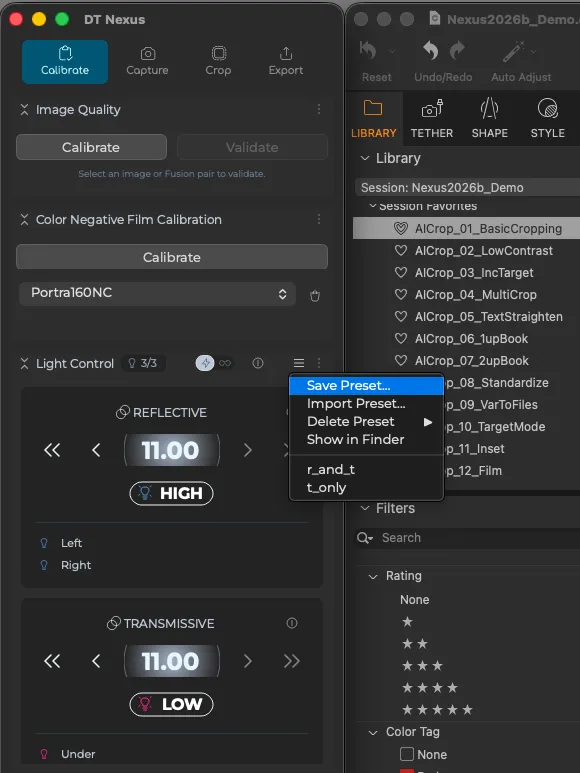
The Light Control dock in Nexus includes a preset system that lets you save and recall complete lighting configurations with a single click. To save a preset, open the preset menu from the toolbar, choose Save Preset, and give it a name — the current state is written to a .dtlight file stored in your Application Support folder. Saved presets appear alphabetically in the same menu and can be loaded instantly, applied to hardware in real time, or deleted with a confirmation prompt. An "Open in Finder" option is also available for manual file management, and to support copying these presets to other DT Nexus stations.
Each preset captures your full lighting configuration: the current mode (Flash or Continuous), and for every light group — its name, power state, intensity level, and modeling light setting. Manual control state is also saved, including whether manual override is active and the raw channel values for each of the five manual channels.
What presets do not include is your light group topology — which physical lights belong to which groups is part of your session, not the preset, so loading a preset won't reorganize, reassign, or rename the lights themselves. The panel size preference is also session-level settings that presets leave untouched. This makes presets portable across sessions and shareable between users without disturbing how your lights are physically organized.