AI Crop Models
DT Nexus includes two generations of the AI Crop models:
- Babylon is the current generation, and the default. It is intended to be faster, more accurate, and better at handling atypical material.
- Alexandria is the generation that shipped with DT Nexus 1.2. If you prefer the results you were getting in 1.2, choose Alexandria.
Choosing a Model
Open DT Nexus > Preferences > AI Crop. The Models group has two menus, so that the generation can be chosen separately for reflective material and for film.
Menu | Used by | Choices |
|---|---|---|
Reflective | Sheet, Multi, 1 Up, 2+ Up, and Target modes | Babylon (2026-10), Alexandria (2025-06) |
Film | Film mode | Babylon (2026-10), Alexandria (2026-08) |
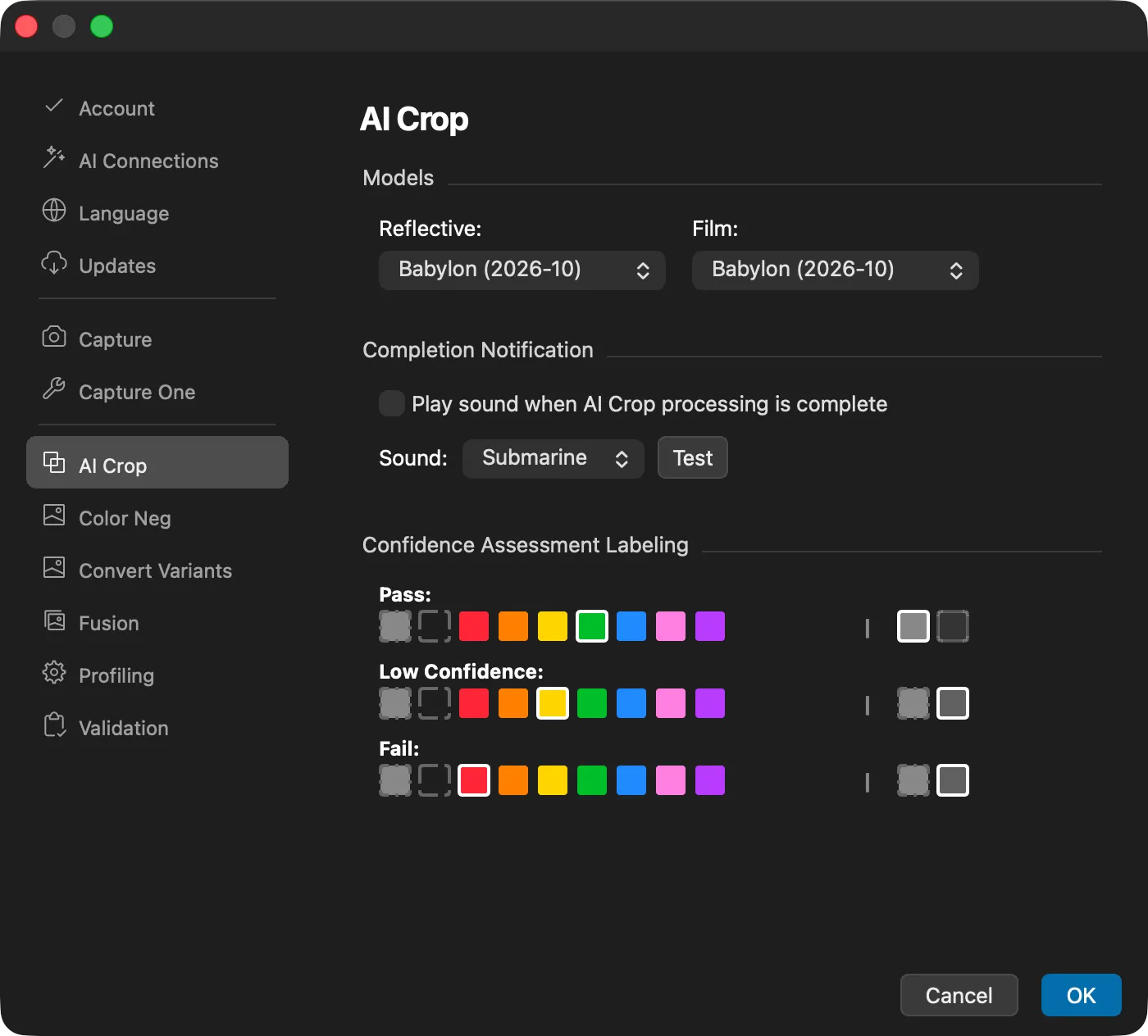
A change applies from the next AI Crop job. The choice of model is a preference for the computer, and is not saved in AI Crop presets.
Precision
The Babylon models have no precision setting. Babylon is as fast as Alexandria at its fastest setting, and as precise as Alexandria at its most precise setting.
If you choose Alexandria, a precision badge appears at the right of the AI Crop & Straighten tool title bar, where you can choose Rough, Standard, or High to trade precision for speed. This setting is no longer needed with Babylon.
Checking What a Model Sees
AI Crop Model Preview uses whichever generation is selected. Running the preview on the same image with each generation is a quick way to compare them on your own material.
If one generation handles your material noticeably better or worse than the other, we would like to know. Please consider Sharing Images with DT.