Preferences
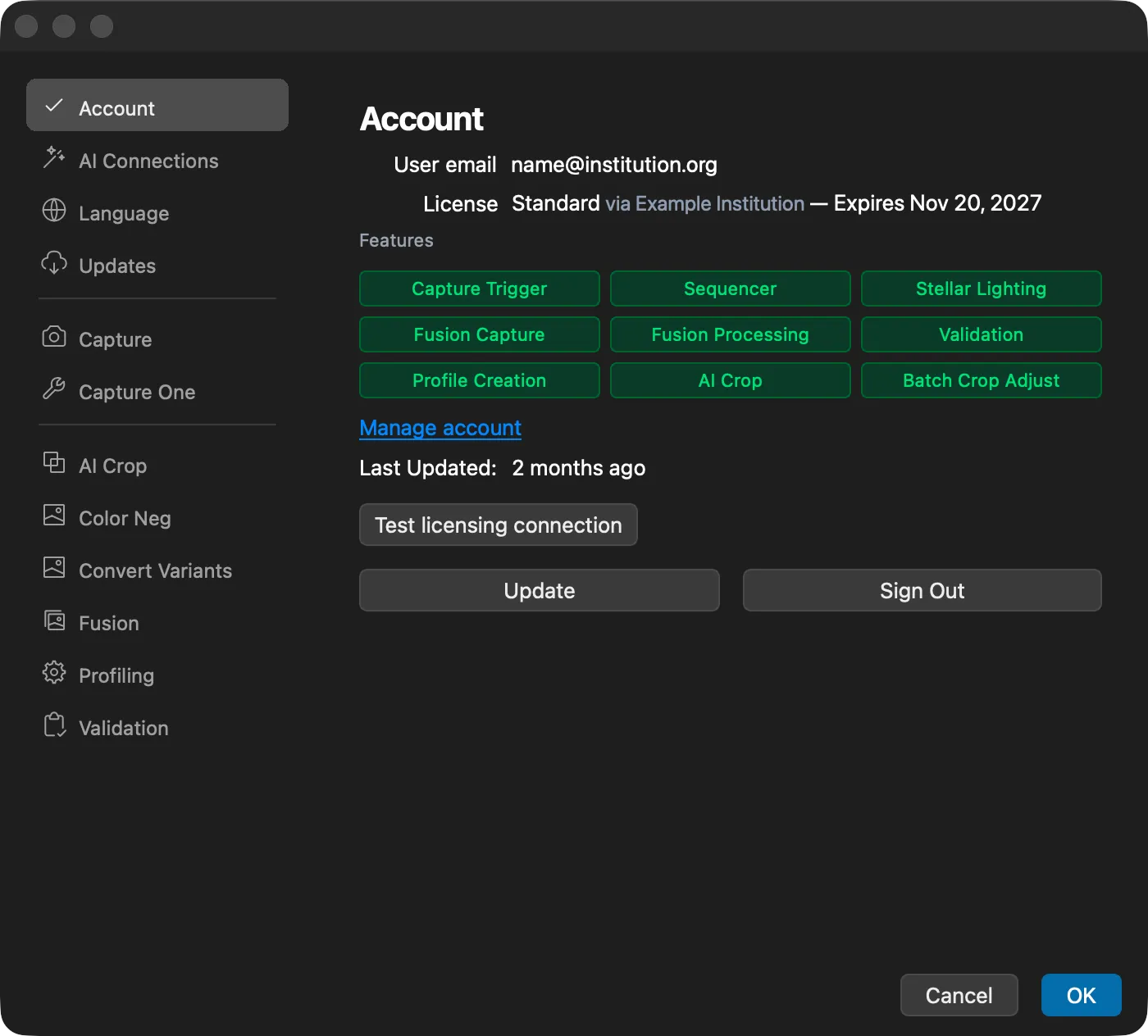
The Preferences window holds the settings for DT Nexus. Open it with DT Nexus > Preferences. It opens on the Account section. Select a section in the sidebar on the left to see its settings.
Saving and Discarding Changes
- Click OK to save your changes and close the window.
- Click Cancel, or press Esc, to close the window and discard every change you made since you opened it. DT Nexus does not ask first.
- If you close the window another way after changing something, DT Nexus asks "Do you want to save the changes you made in Preferences?". Choose Save, Don't Save, or Cancel to go back to the window. If nothing changed, the window simply closes.
One setting applies as soon as you click it: Automatically check for updates in the Updates section. Cancel does not undo it.
Sections
The sidebar shows the sections in three groups: general settings, capture settings, and settings for the tools.
Section | What it sets | More information |
|---|---|---|
Account | Your account, license and features. Sign out and test the licensing connection. | |
AI Connections | Whether an AI assistant you choose can work with DT Nexus. | |
Language | The language of DT Nexus. | Language |
Updates | Automatic update checks and the update channel. | |
Capture | Screen Blackout during captures. | |
Capture One | Which Capture One to connect to, arranging the windows at launch, and the Capture shortcut from any app. | |
AI Crop | The AI Crop models, the completion sound, and the color tags and albums for each confidence level. | |
Color Neg | The ISO for the calibration wizard, and whether lights stay in their calibrated state between captures. | |
Convert Variants | Color tags and albums for the files Variants to Files makes. | |
Fusion | Fuse on capture, GPU processing, the output color profile and location, and original crop and rotation. | |
Profiling | The default profile type, the linear curve, and black point compensation for each target. | |
Validation | The format and color profile of the image that validation measures. |
When a section is taller than the window, scroll to see the rest of it.